Meteorologist
Community Cloud's web console — signing in through Authentik, setting up namespaces, creating applications from GitLab projects, and seeing how the cluster and its office apps are doing.
What Meteorologist is
Meteorologist is Community Cloud's web interface, for the things that are specific to Community Cloud and that a general Kubernetes UI like Headlamp doesn't know about: Cirrus applications, the capabilities and settings of the namespaces they live in, and the office apps the installer put on the cluster.
 Community Cloud
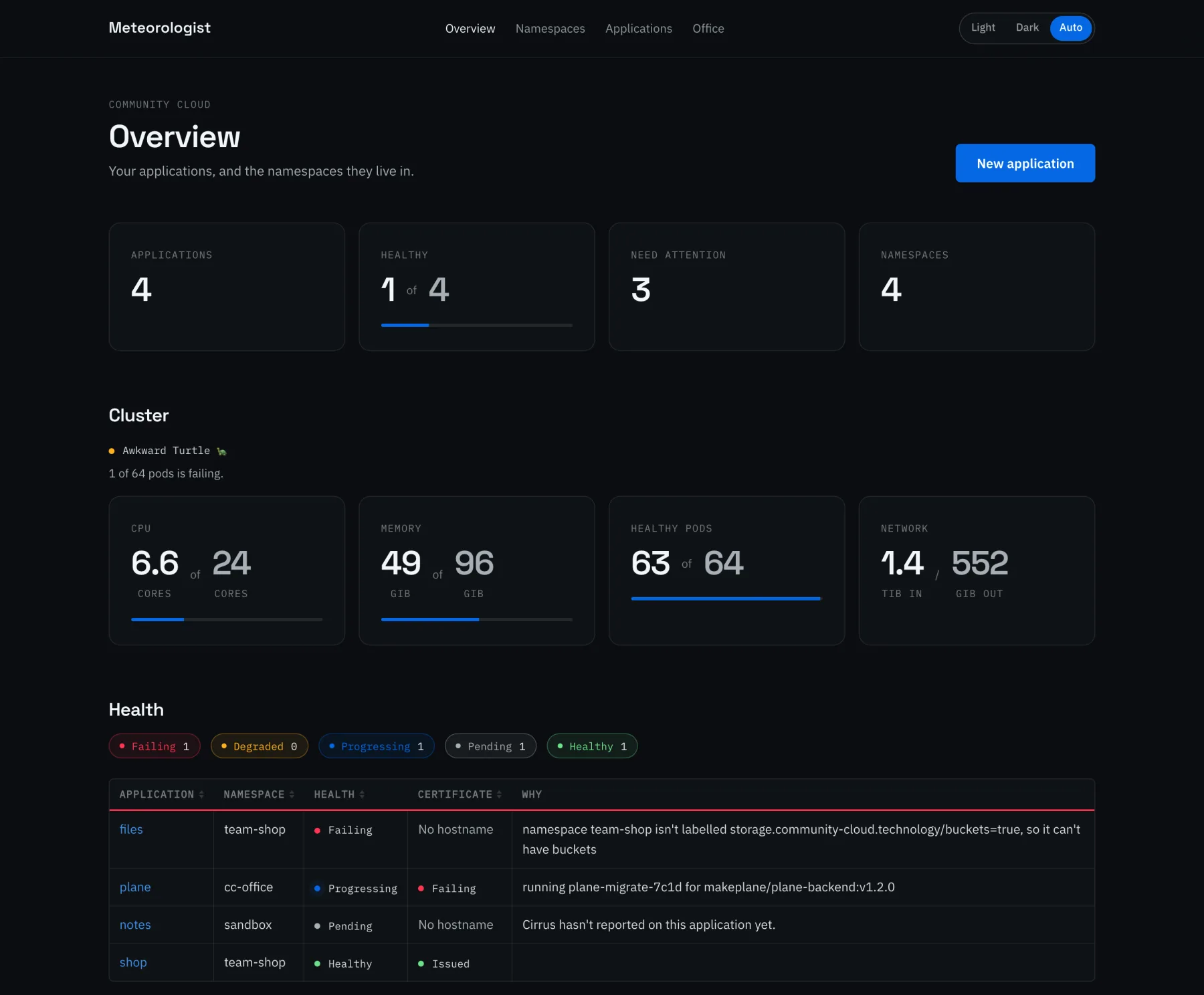
It has four sections:
| Section | What it's for |
|---|---|
| Overview | How every application is doing, which ones need looking at, and the cluster's usage |
| Namespaces | Each namespace's capabilities, Postgres, settings, GitLab connections and DNS |
| Applications | Listing, creating and editing WebApplications |
| Office | The installed office apps, and how to get into each one |
Signing in
People sign in through the cluster's own Authentik, with OpenID Connect. Meteorologist then makes every Kubernetes request as the person who signed in — as authentik:<username>, with their authentik:<group> groups — so ordinary RBAC decides what each person sees and may change. Only members of a k8s-* group get in at all.
Meteorologist itself has no permissions in the cluster. Its pod's service account token is never used, so there's nothing in it to steal that does more than the person using it could already do. Headlamp signs in the same way.
Overview
A count of applications, how many are healthy, how many need attention, and how many namespaces there are. Below that is a table of every application with its health and certificate, worked out from the conditions Cirrus sets, and the reason when something's wrong — a missing namespace label, a migration still running, an application Cirrus hasn't seen yet.
People who can read every node and pod also see the cluster's CPU, memory, healthy pods and network traffic.
Namespaces
Namespaces can be created from here, and each one has a page in three tabs.
General
Community Cloud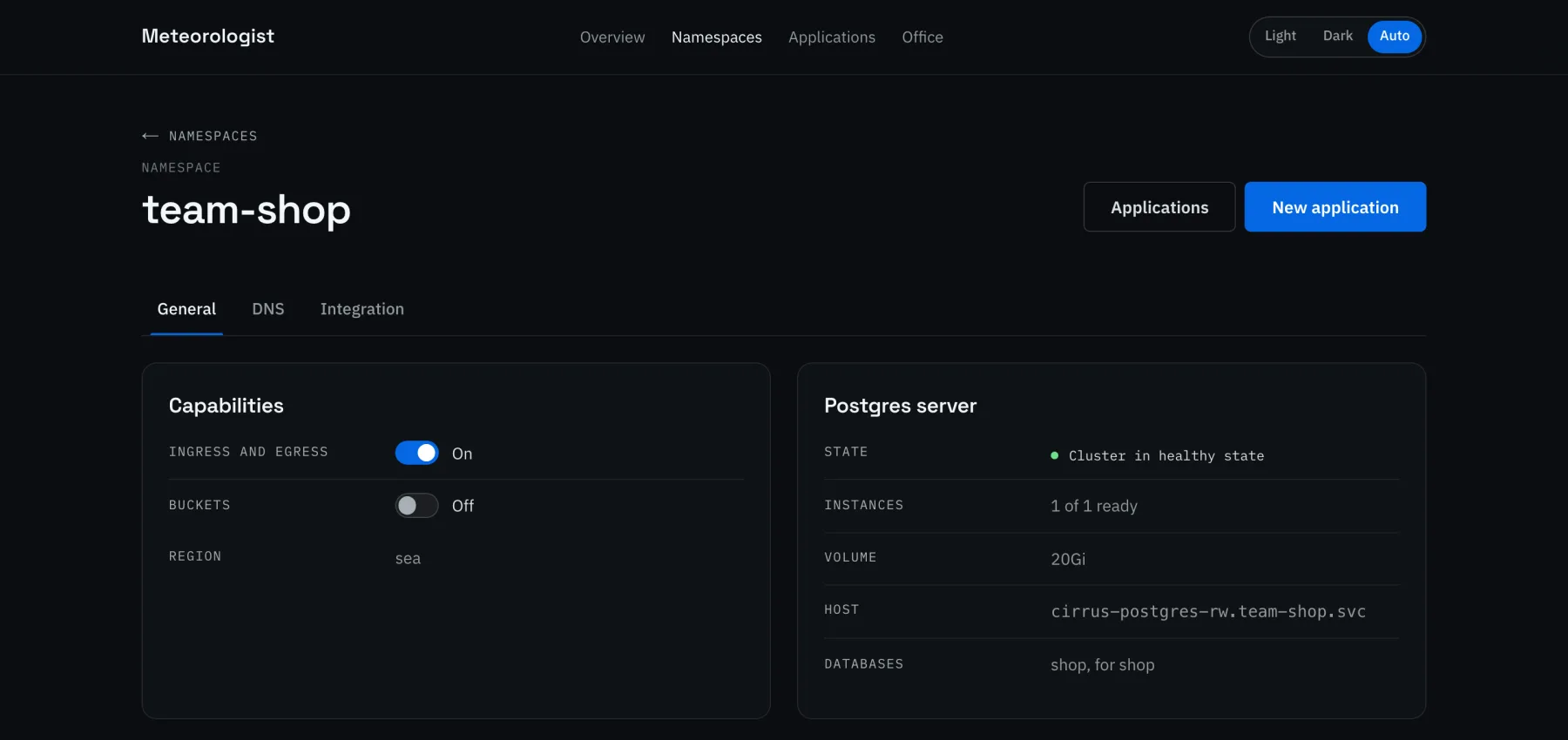
- Capabilities — a switch for each of Community Cloud's namespace labels: ingress and egress for hostnames on the cluster Gateway, and buckets for SeaweedFS buckets. Cirrus checks for them; here they're one click.
- Postgres — the state of the namespace's own CloudNativePG cluster,
cirrus-postgres, and the databases in it. - Region — pins every pod in the namespace, Postgres included, to one region's nodes.
- Limits — a ResourceQuota for the namespace's totals, and a LimitRange with each container's defaults, which a quota needs.
- Private registries — pull credentials put on the namespace's
defaultServiceAccount, so every pod uses them unless it names its own.
The settings are made the way Kubernetes itself makes them, so they hold for everything in the namespace, not only what Cirrus makes.
DNS
Community Cloud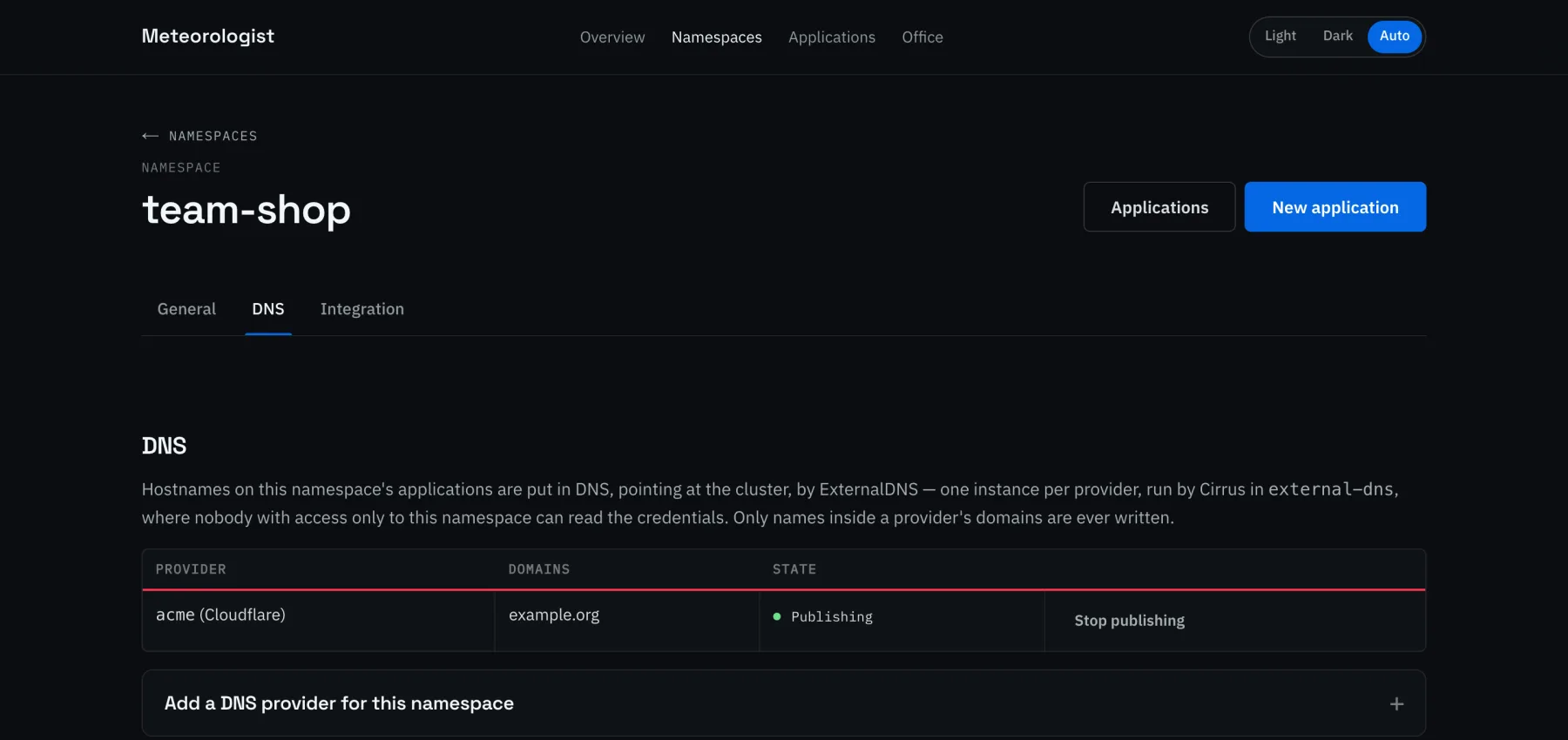
The DnsProviders publishing the namespace's hostnames. A namespace can join an existing provider, stop, or get a new one with its own account's credentials. Domains are checked against every other provider first. Only cluster admins can see or change providers.
Integration
Community Cloud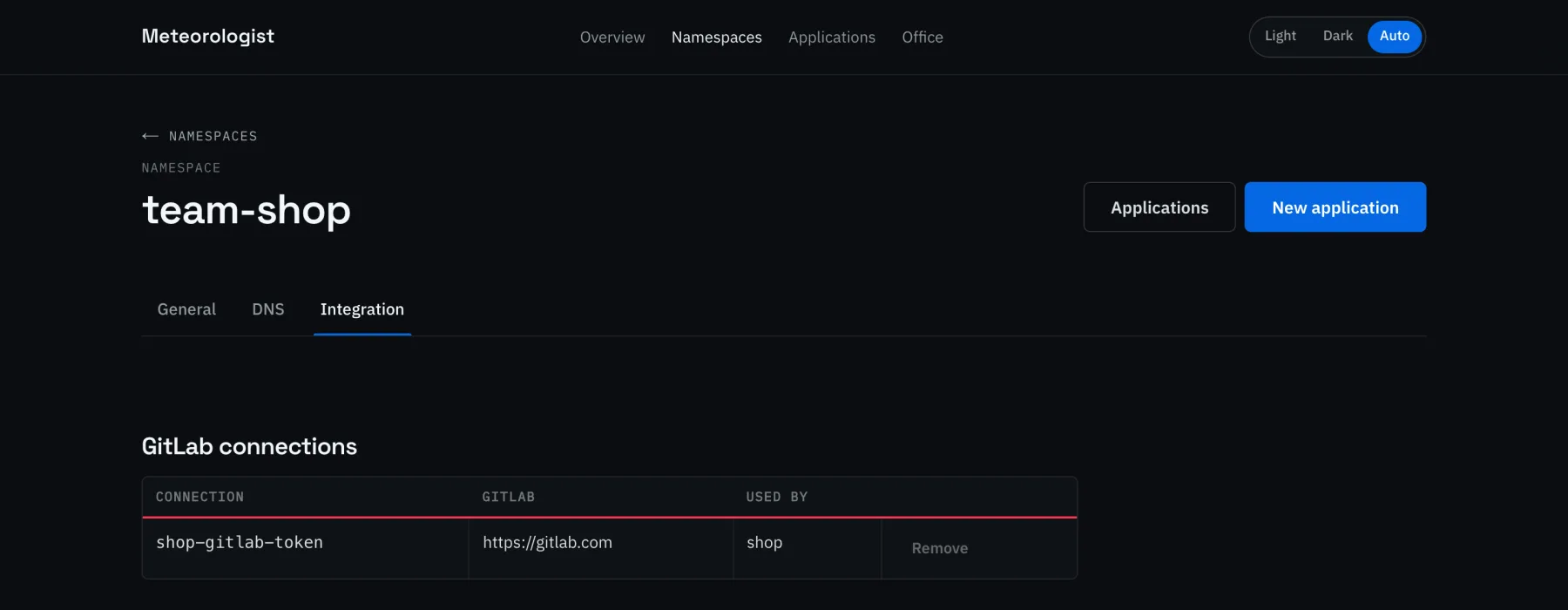
GitLab connections: tokens kept in the namespace, apart from any one application. A token is checked with GitLab before it's saved. Meteorologist lists projects and their images with it, and Cirrus uses the same one for its webhooks and pipeline checks. A group access token with the api scope and the Maintainer role is usually the best choice.
Applications
Community Cloud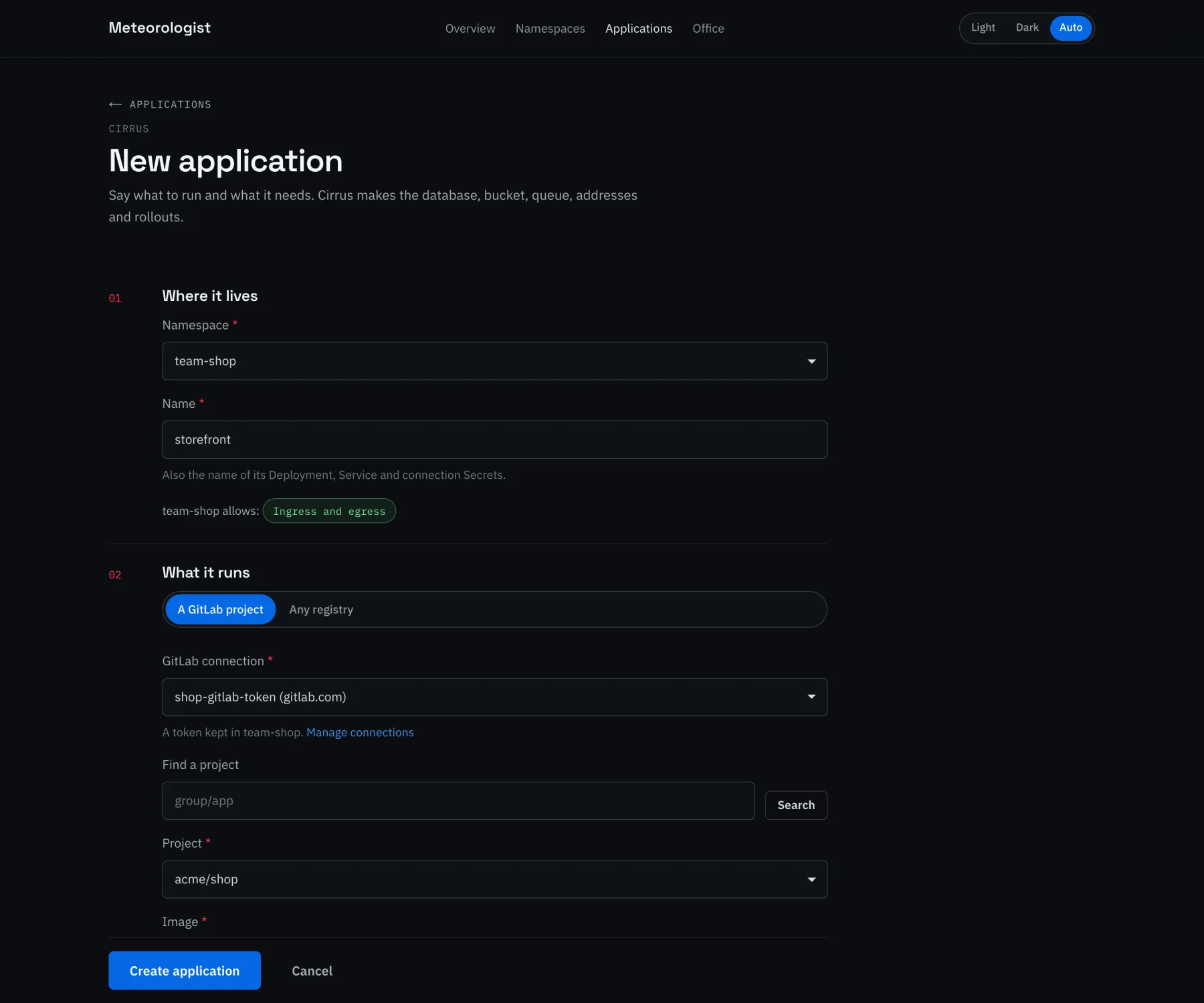
Applications are created and edited through a guided form rather than YAML. The form explains what each shared service provides, and warns when the namespace is missing a label that a choice needs — and can add it on the spot.
An image from GitLab is chosen rather than typed: through one of the namespace's connections, from the projects its token can see, with the image taken from the project's container registry. Update automatically on image builds then has Cirrus roll out each image a successful pipeline builds, with migrations first.
Images from any other registry can be typed in instead.
Office
The office applications the installer put on the cluster — such as Plane, Twenty and ProjectSend — each with its address, its health, how people sign in, and how an administrator gets in.
Where the install made an administrator, Show password reads it on request, as the signed-in person, so it needs permission to read that Secret. Nothing secret is in the page as it's sent. Where nobody was made one, it says how to become the administrator instead, such as Authentik's initial setup page.
Installing it
Meteorologist is the installer's meteorologist package. It runs in the community-cloud namespace at values.domain.meteorologist, and is installed after Authentik and Cirrus:
"packages": { "authentik": true, "cirrus": true, "meteorologist": true }
It signs in through Authentik as the client meteorologist, which the Kubernetes API server has to trust. Enabling the package adds the client to the API server's settings, which the k3s and cluster-sign-in bundles write, so run cluster-sign-in after enabling it on an existing cluster.
It runs without Cirrus, but Cirrus is what gives it applications to show.
Not yet
- Deleting applications. Use
kubectl delete webapp <name>for now. The data is kept either way; see Deleting an application. - Pods, logs and events. An application's health comes from Cirrus's conditions; for more, use Headlamp or
kubectl. - Installing packages from the browser. Office apps are installed by the installer.
- Asking for access. Someone without a
k8s-*group has to be added in Authentik by an administrator.
Trying it without a cluster
Meteorologist has a pretend cluster, held in memory, with namespaces and applications in every state the pages draw. Nothing reaches a real cluster, and changes last until the server restarts. The screenshots on this page are from it:
The full notes, including running it against a real cluster from a laptop, are in ui/meteorologist in the repository.