Features
From a Git push to a running app
A cluster is only useful once something runs on it. Community Cloud comes with the pieces that take an app from a repository to a hostname with a certificate: its database, its storage, its queue and its releases, all on the services the cluster already runs. It also includes the office apps a small organisation would otherwise pay a subscription for.
One resource per app
A WebApplication says what an app needs: an image, its hostnames, and optionally a Postgres database, an S3 bucket and a RabbitMQ vhost. Cirrus builds all of it out of the cluster's own services. You don't write separate manifests for the database, the route, the certificate and the deployment.
Connection details reach the app as environment variables, so nobody copies passwords around:
DATABASE_URLand the usualPG*variablesS3_ENDPOINT,S3_BUCKETand keys, withAWS_*equivalentsAMQP_URLand theRABBITMQ_*variables
Deleting an app leaves its data alone. The database and the bucket stay until you decide otherwise.
apiVersion: community-cloud.technology/v1alpha1
kind: WebApplication
metadata:
  name: shop
  namespace: acme
spec:
  image:
    repository: registry.gitlab.com/acme/shop
    tag: main
  port: 3000
  healthCheck:
    path: /up
  hostnames: [shop.acme.example]
  postgres: {}
  bucket:
    quota: 5Gi
  rabbitmq: {}
  migrations:
    command: ["bin/rails", "db:migrate"]
  source:
    gitlab:
      project: acme/shop
      ref: main
      tokenSecret:
        name: gitlab-token
      imageTag: "{commit_sha}"
What that one resource makes
| Asked for | What Cirrus makes | Through |
|---|---|---|
always | A Deployment and a Service | Kubernetes |
hostnames | A listener on the cluster Gateway, a route, an HTTP→HTTPS redirect and a certificate | Gateway API, cert-manager, Let's Encrypt |
postgres | A role and a database in the namespace's own Postgres | CloudNativePG |
bucket | A bucket, an S3 user limited to it, and its keys | SeaweedFS |
rabbitmq | A vhost and a user limited to it | RabbitMQ topology operator |
migrations | A Job, run with each new image before it rolls out | Kubernetes |
source.gitlab | A project webhook, so each successful pipeline rolls out | GitLab |
Releases that wait for migrations
Point an app at a GitLab project and each green pipeline becomes a release. A broken migration doesn't take the site down.
A pipeline passes
A successful pipeline on the app's branch calls Cirrus's webhook. If a webhook goes missing, Cirrus checks for the newest successful pipeline every ten minutes anyway.
The image is pinned
Cirrus works out the image tag from the commit and asks GitLab's registry for its digest, so the version that rolls out is the exact one that was built.
Migrations run first
A Job runs the migrations with the new image while the old version keeps serving traffic.
Roll out, or don't
If the migrations pass, the Deployment moves to the new image by digest. If they fail, the old version keeps running and the app's status names the Job that failed.
DNS without editing records
A DnsProvider connects namespaces to a DNS provider, and Cirrus runs ExternalDNS for each one, so an app's hostnames are published as soon as it exists. Cirrus checks providers against each other, so two namespaces can't both claim the same domain.
The cluster, for the people using it
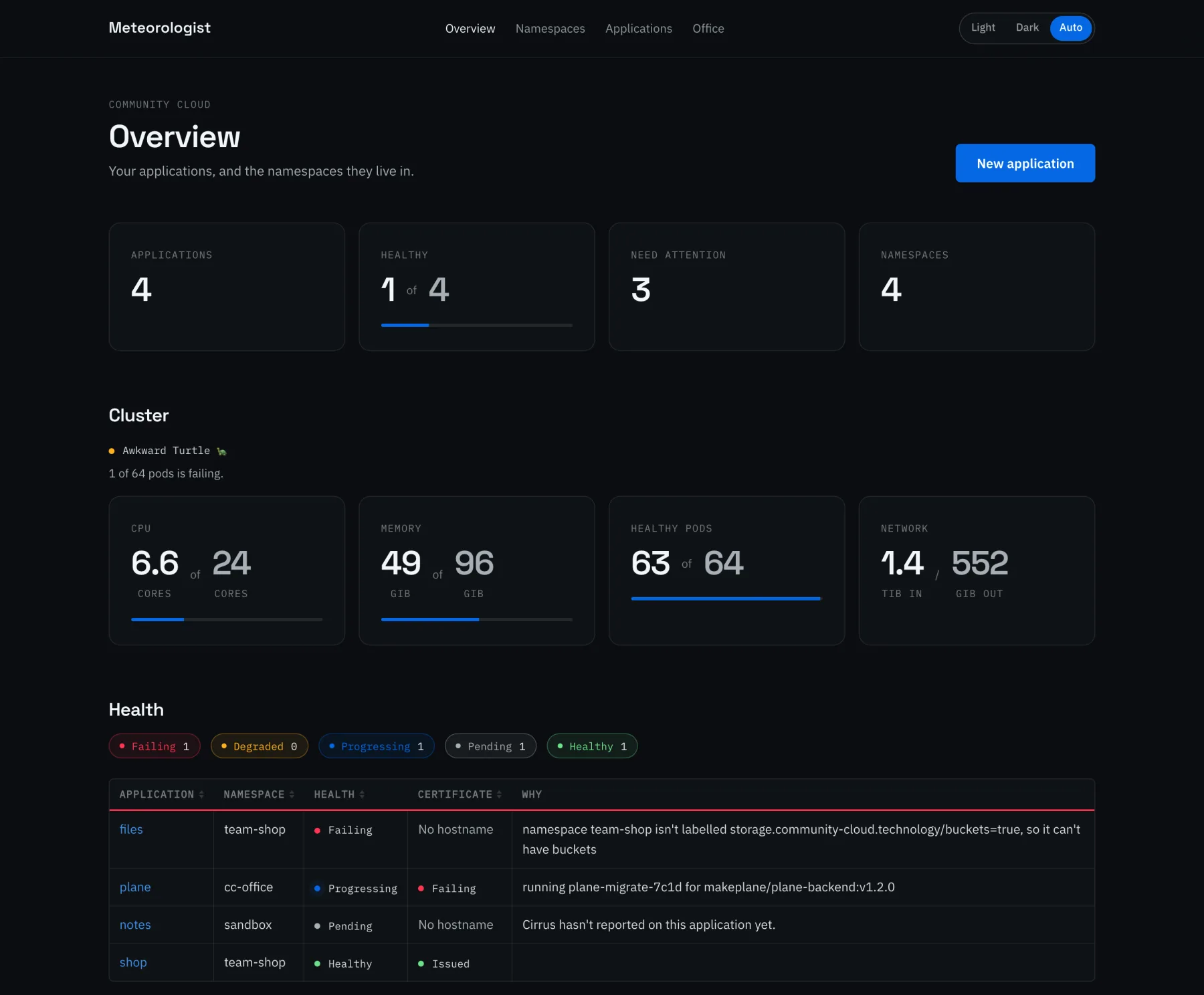
Meteorologist is where apps get created and namespaces get set up, without anyone needing kubectl. It talks to the cluster as the person who signed in, so everyone sees and changes exactly what Kubernetes already lets them.
 Community Cloud
 Community Cloud
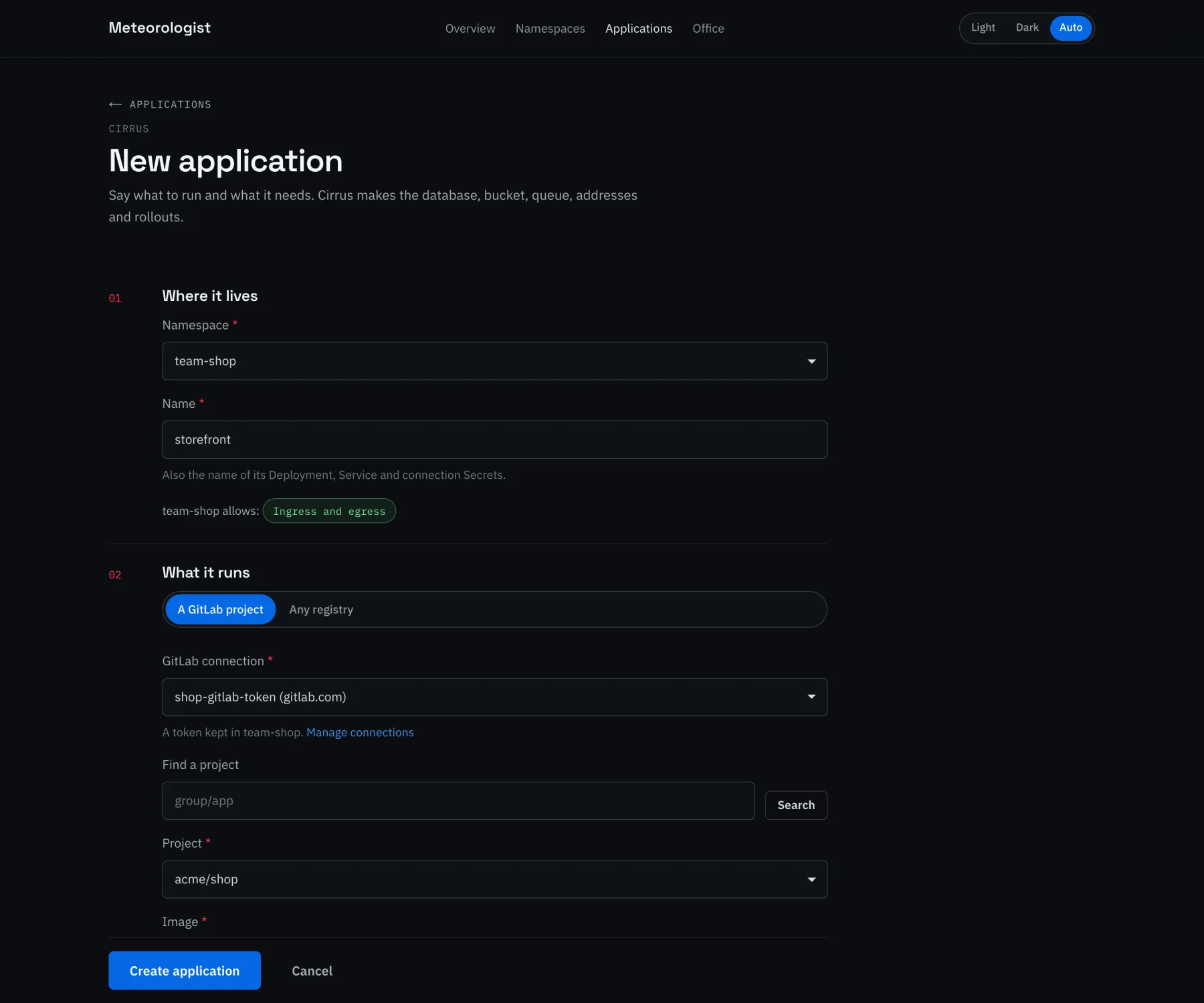
Applications from a form
Pick a GitLab project and Meteorologist lists the images in its registry. Tick “update automatically on image builds” and Cirrus rolls out each new build, migrations first.
The form explains what each shared service gives the app, and warns you when the namespace is missing something a choice needs. It can fix that on the spot.
Community Cloud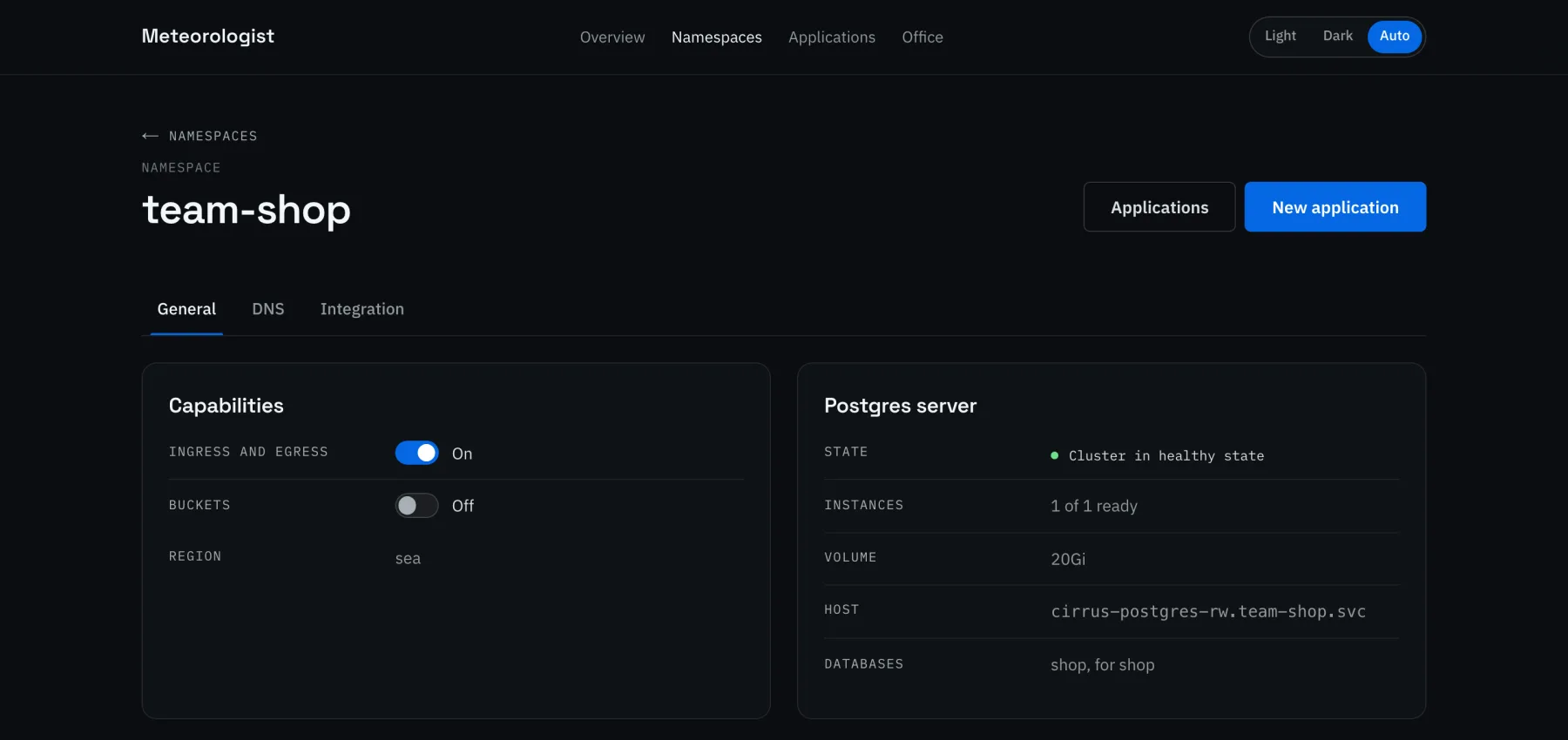
A namespace per team
Switch on hostnames and buckets, see the namespace's own Postgres, and set quotas, defaults, private registries and a region for everything in it.
GitLab connections and DNS have tabs of their own. Tokens are checked with GitLab before they're saved.
Sign in with Authentik
Health at a glance
The office
The back office, on your own hardware
The installer can put a set of open-source apps on the cluster, each one switched on with a line in the configuration. They use the cluster's shared Postgres, storage and certificates, and people sign in to them with one Authentik account.
Applications docsAuthentik
Twenty
Plane
Mattermost
Lago
Documenso
ProjectSend
Picoclaw
Headlamp
Something missing? Apps can also be packaged as plugins, or run with Cirrus like any other app.
Try it on your own hardware
Community Cloud is in Public Beta. Download the installer and run your own apps this way, then tell us how it went.